

Description
Download Acala DVD PSP Ripper – DVD to PSP, convert DVD to MP4, DVD ripper, video converter, movie backup
Overview
Acala DVD PSP Ripper is a utility application developed by Acala Software, designed to convert video DVDs into formats compatible with the Sony PSP. Its primary function is to simplify the process of transferring movie content from physical DVDs to portable devices, particularly for users who wish to enjoy their favorite films on the go. The app is especially useful for individuals seeking to create personal backups of DVDs, including those protected by copyright, without compromising on video quality. While the tool was released in 2013, it remains relevant for users still relying on older hardware or seeking a straightforward solution for DVD conversion.
The target audience includes home users, media enthusiasts, and travelers who value portability and convenience. The application serves as a digital archive tool, enabling users to maintain a personal library of films in a device-friendly format. Despite its age, the software continues to fulfill a niche role in the digital media ecosystem—bridging the gap between legacy DVD content and portable playback devices. The developer did not provide additional technical details regarding updates or future development, suggesting that the app may no longer be actively maintained. However, its core functionality remains intact for users who require basic DVD ripping and format conversion.
Key Features & Functionality
- Easy DVD Conversion: The software enables users to convert any video DVD into MP4 format, which is optimized for playback on the Sony PSP. This feature streamlines the process for users who lack technical expertise, allowing them to enjoy movies on portable devices without complex settings.
- Copy Protected DVDs: Acala DVD PSP Ripper is capable of handling DVDs protected by copyright, allowing users to create complete copies. This functionality is particularly useful for backing up personal media collections, although users should be aware of regional copyright laws.
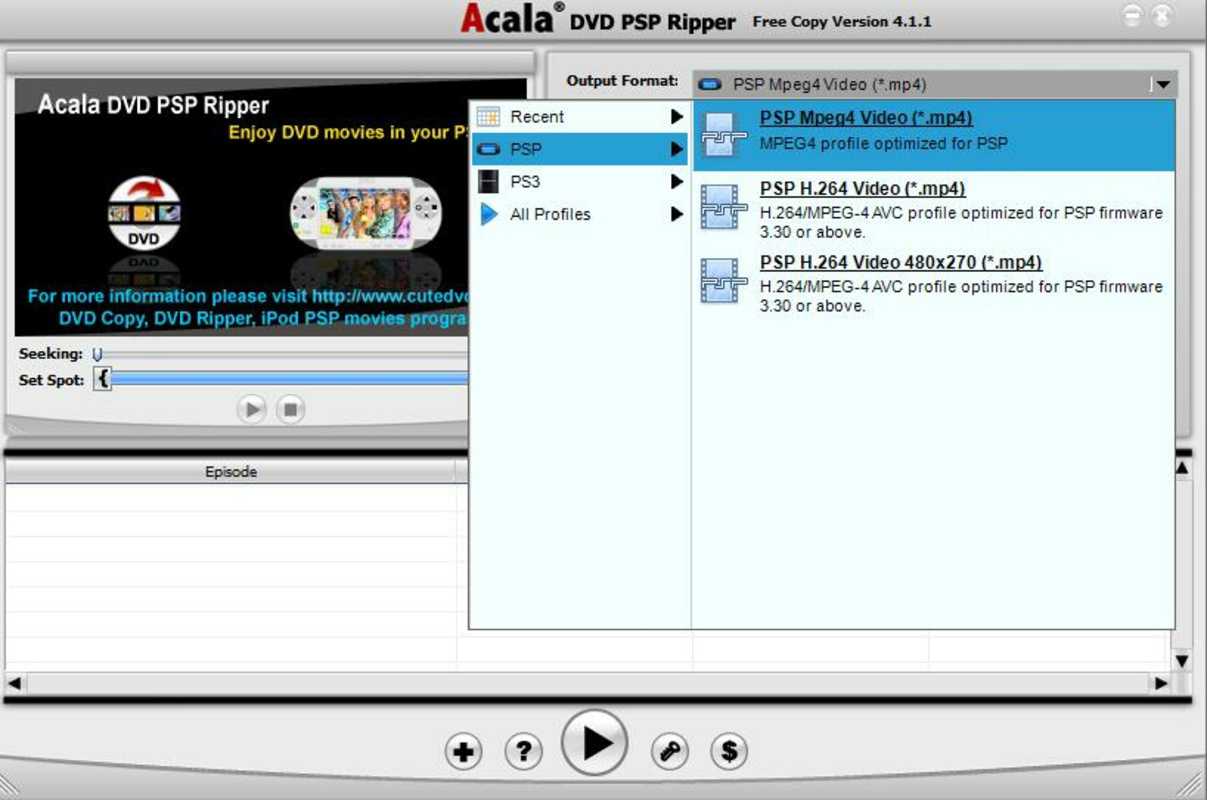
- Multiple Format Output: Beyond MP4, the app supports conversion to AVI, TS, and MPEG formats. This flexibility allows users to adapt content for different devices or personal preferences, enhancing the app’s utility across various use cases.
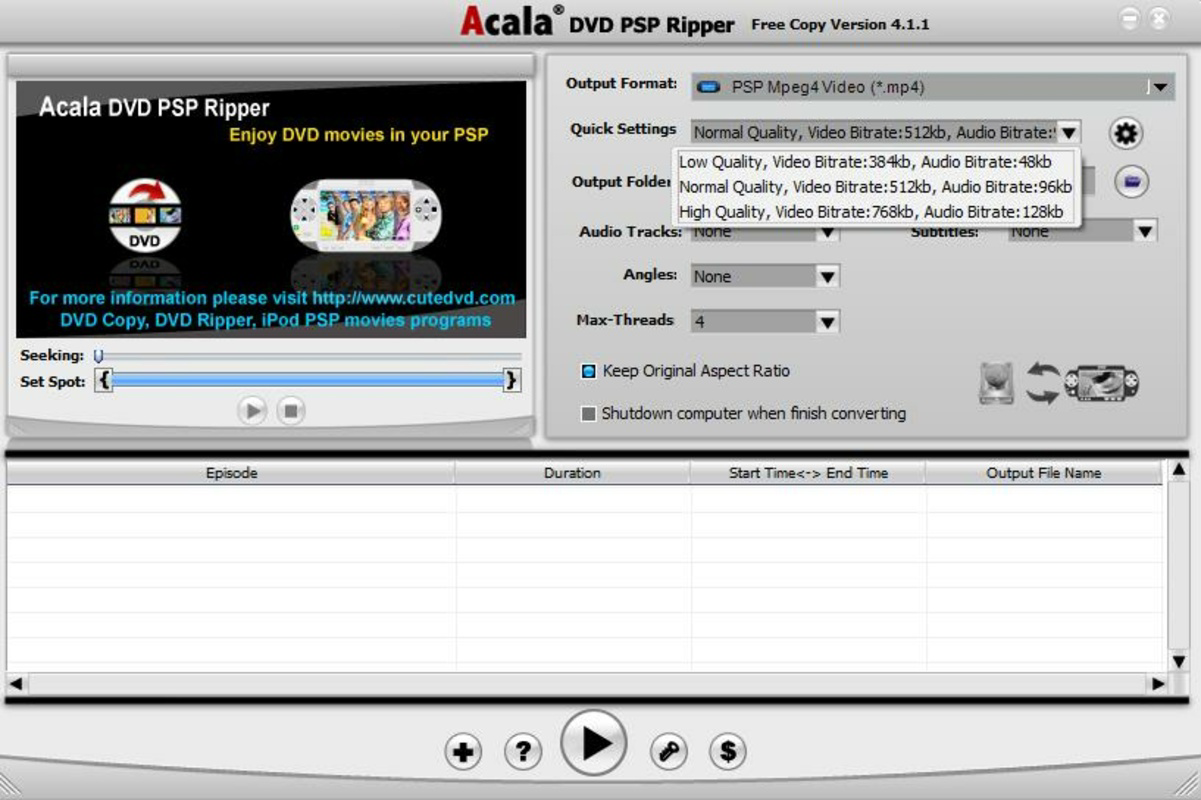
- User Customization: Advanced users can adjust video quality, resolution, bitrate, and other encoding parameters. This level of control enables tailored output files that balance file size and visual fidelity.
- Quality Preservation: The tool maintains the original quality of the source material during conversion. This ensures that backups and transfers retain sharpness, color accuracy, and audio clarity, delivering a viewing experience close to the original DVD.
For example, a user traveling with a PSP can use the app to convert a full-length movie from a DVD into a high-quality MP4 file, ensuring smooth playback during long commutes. Similarly, a collector may use the app to digitize a protected DVD collection for safe storage, preserving content that might otherwise be lost due to physical degradation.
Interface, UX & Performance
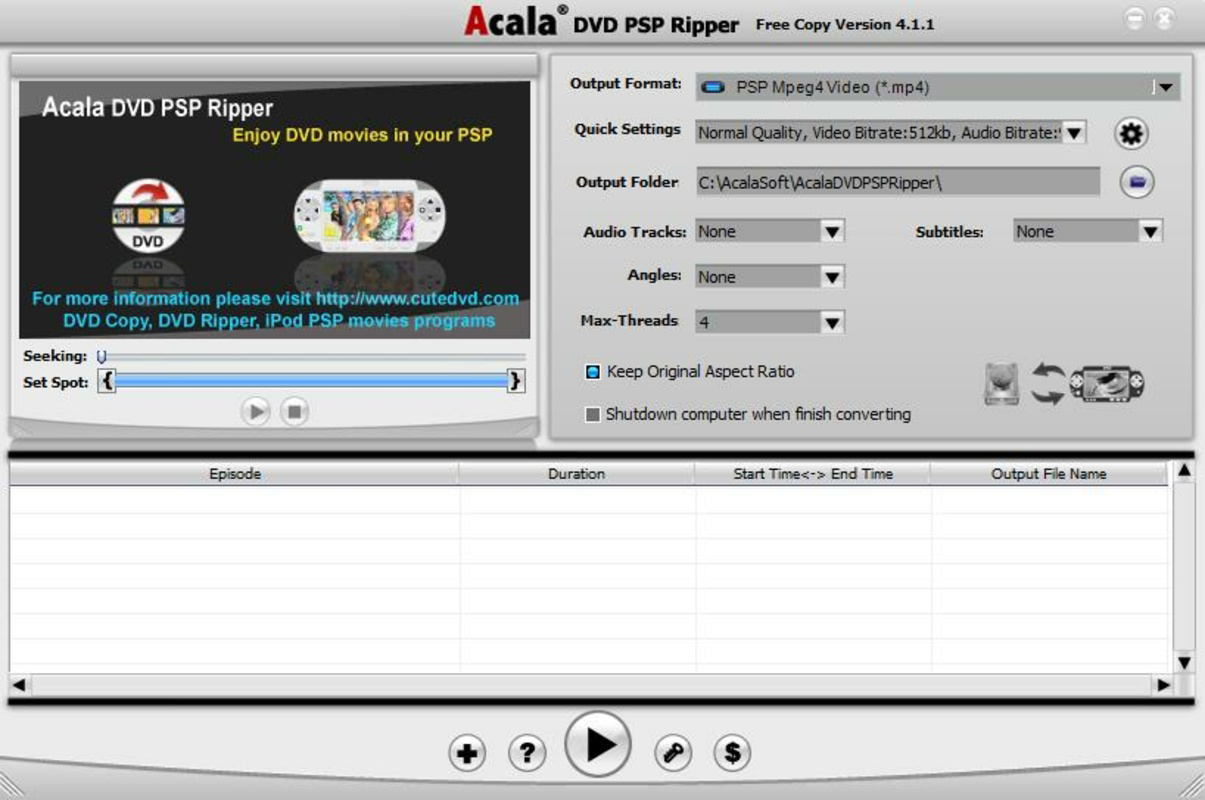
The user interface of Acala DVD PSP Ripper is designed with simplicity in mind, featuring a clean layout that guides users through the conversion process. Navigation is straightforward, with clearly labeled buttons for loading DVDs, selecting output formats, and initiating the conversion. The visual style is minimalistic, focusing on functionality rather than graphical embellishment, which aligns with its utility-focused purpose.
Although the developer did not list formal performance metrics, the application is reported to run efficiently on Windows systems with standard hardware configurations. Users can expect stable operation during the conversion process, with minimal crashes or freezes. Responsiveness is consistent across different device categories, including older PCs and mid-range machines, though performance may vary depending on the source DVD’s complexity and the chosen output settings.
Stability is maintained during long conversion sessions, which is essential for full-length movies. The app does not appear to consume excessive system resources, making it suitable for background processing. However, the lack of real-time progress tracking or preview features may limit user confidence during lengthy operations.
Platform Compatibility & Technical Requirements
Acala DVD PSP Ripper is available exclusively for the Windows platform. It requires a Windows operating system, though the specific version was not listed by the developer. The application has a file size of 14.7 MB, which is relatively small, indicating a lightweight installation footprint. This makes it accessible even on systems with limited storage space.
The software version is 3.0.0.0, released on December 13, 2013. Given the age of the release, compatibility with modern Windows versions (such as Windows 11) cannot be confirmed without further testing. The developer did not specify minimum OS requirements, so users should exercise caution when installing on newer systems. Additionally, no information was provided regarding required hardware, such as CPU or RAM specifications.
Pros and Cons
Pros
- Efficient conversion of DVDs to PSP-compatible MP4 format
- Supports multiple output formats including AVI, TS, and MPEG
- Capable of handling copy-protected DVDs for personal backup
- Maintains original video quality during conversion
- Lightweight installation at 14.7 MB
Cons
- Released in 2013; no recent updates or active development
- Compatibility with modern Windows versions not confirmed
- No information on minimum system requirements
- Limited user interface feedback during conversion
- Not available for mobile platforms or macOS
FAQ
Is Acala DVD PSP Ripper safe to download and install?
The software is distributed by Acala Software, a known developer in the utility space. However, users should ensure they download from official or trusted sources to avoid potential malware or bundled software.
Can I use this app to convert DVDs to other devices besides the PSP?
Yes, the app supports multiple output formats such as AVI, TS, and MPEG, which are compatible with a variety of devices beyond the PSP, including older media players and some smartphones.
Does Acala DVD PSP Ripper work on Windows 11?
Compatibility with Windows 11 has not been officially confirmed. While the app may function on newer systems, users should test it in a controlled environment due to its age.
Is the software free to use?
No, Acala DVD PSP Ripper is a paid application priced at $29.95. It is not available as a free download or trial version.
Can I convert protected DVDs without legal issues?
While the software can bypass copy protection, users must comply with local copyright laws. Converting DVDs for personal use may be permitted in some regions, but distribution or commercial use is not allowed.
Final Thoughts
Acala DVD PSP Ripper remains a functional tool for users who need to convert DVD content into portable formats, particularly for older devices like the Sony PSP. Its ability to handle protected DVDs and maintain high-quality output makes it a valuable asset for media collectors and travelers. Despite its outdated release date and lack of modern support, the app delivers on its core promise: reliable, straightforward DVD conversion.
While newer alternatives exist in the market, this software still holds value for those with legacy hardware or a preference for simple, no-frills utilities. For users seeking a one-time solution to digitize their DVD library, Acala DVD PSP Ripper offers a secure, efficient, and cost-effective option.
Download Acala DVD PSP Ripper now
Guides & Tutorials for Acala DVD PSP Ripper
How to install Acala DVD PSP Ripper
- Click the Preview / Download button above.
- Once redirected, accept the terms and click Install.
- Wait for the Acala DVD PSP Ripper download to finish on your device.
How to use Acala DVD PSP Ripper
This software is primarily used for its core features described above. Open the app after installation to explore its capabilities.
User Reviews for Acala DVD PSP Ripper 0
No reviews found


